JDBC
The communication of IFConneX with der Navision database takes places via JDBC. Usually, the Navision database system is a Microsoft SQL server.
The connection is established by the systems, on which the Windchill methodserver or rather the background methodserver is running. The communication between the systems has to be enabled via the defined port.
For the communication, a designated database user has to be available. This user needs extensive rights for the defined exchange tables (Read, write, delete). An access authorization for further Navision tables is not mandatory.
SQL server settings
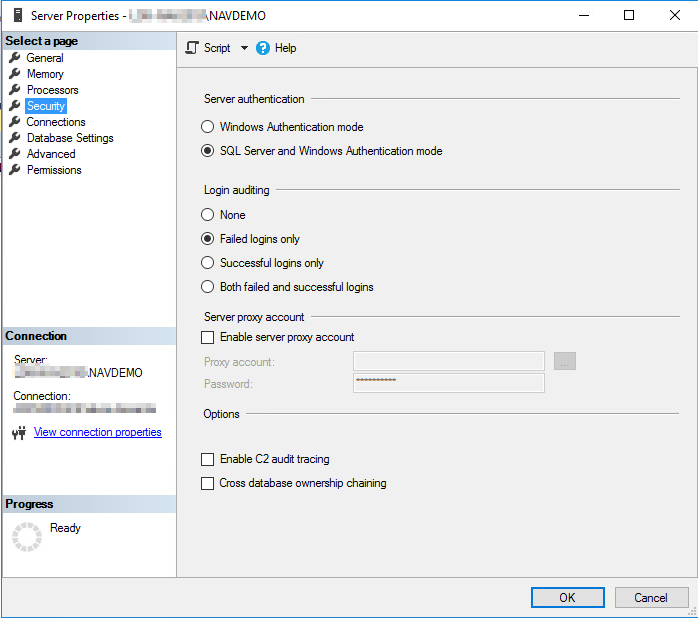
Some settings of the SQL server have to be verified or rather customized. These settings can be changed via the Microsoft SQL Management Studio or the Microsoft SQL Management Studio Express. The server settings can be edited by choosing the database system in the Object Explorer and then choosing the command Properties in the context menue.
In the tab Security, the option SQL Server and Windows Authentication mode has to be set in the field Server authentication.
SQL server user
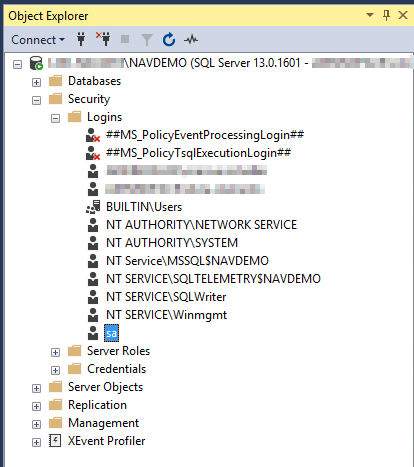
IFConneX for Navision requires a designated database user.
This is the user sa in this example.
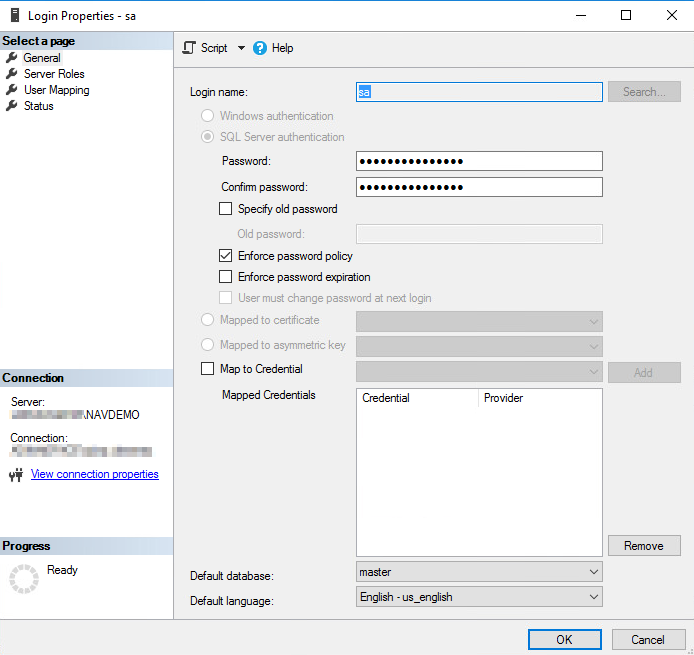
The following options should NOT be set for this user:
• Enforce password expiration
• User must change password at next login
Navision user
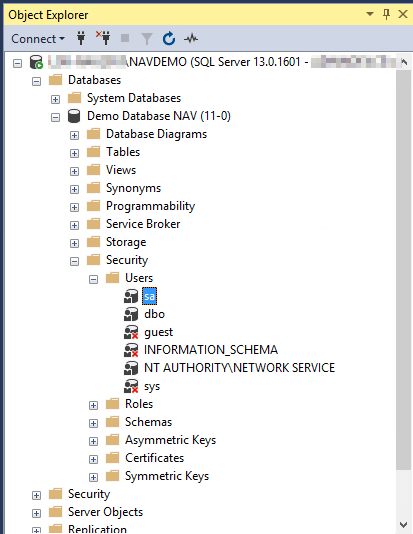
Finally, the created database user has to assigned to the Navision database instance as a valid user.