
The setting is located in the category INNOFACE → IFConneX → Main Settings
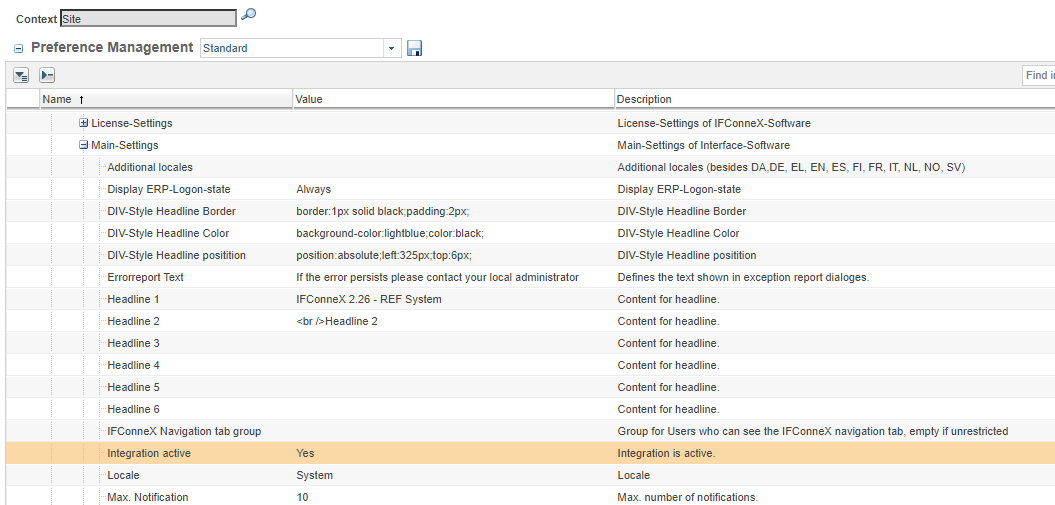
When IFConneX is deactivated, events, for example, are not processed and all IFConneX menues are not visible any more.
In case of event adapter customization, this setting has to be taken into account.
Warning if IFConneX is deactivated
A warning is displayed if IFConneX is deactivated. This warning can be configured.
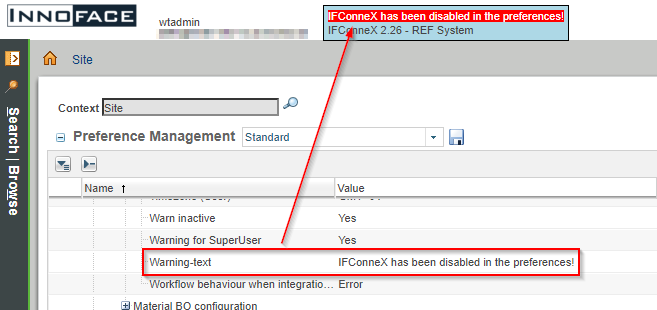
The following settings are used for the warning in INNOFACE → IFConneX → Main settings:
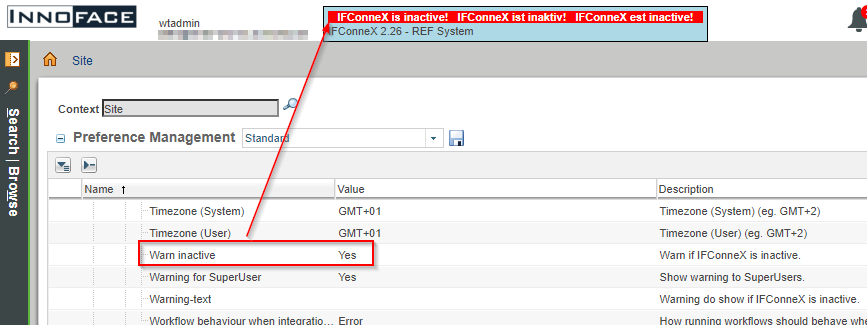
If no warning text is defined, the default text is displayed.
If a warning text is defined, it will be displayed.
Behavior of workflows with a deactivated interface
The behavior of IFConneX workflows with a deactivated interface is defined here with the following settings INNOFACE → IFConneX → Main Settings:
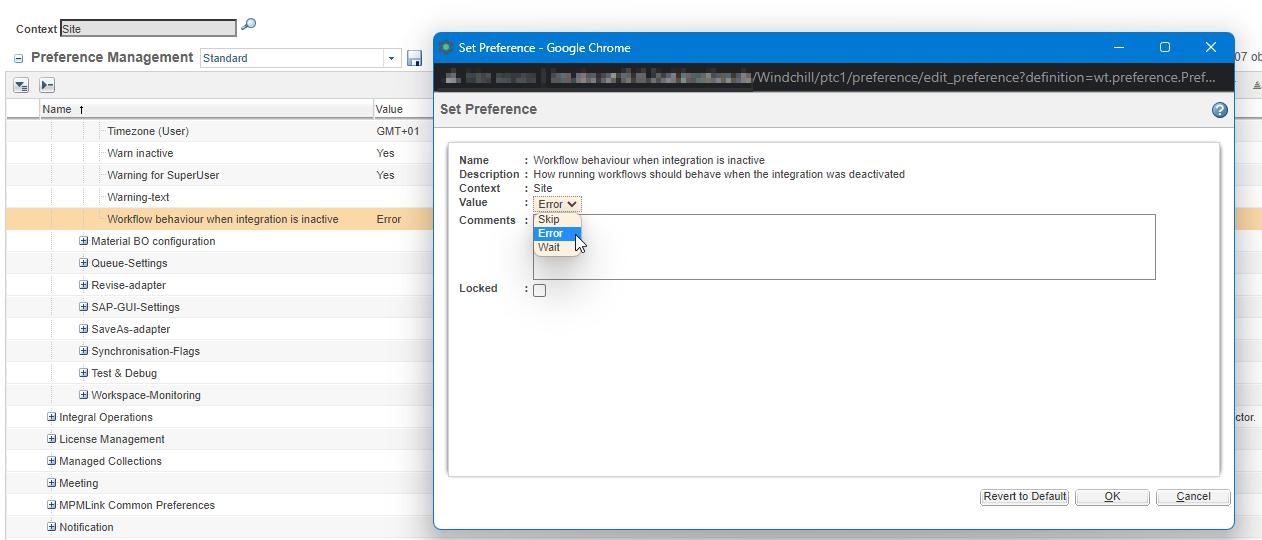
The default setting is "Error"
Possible settings for the behavior
|
Value |
Behavior |
|---|---|
|
Error |
The workflow runs into the common error handling, which is also executed in case of a failed transfer. |
|
Wait |
The administrator receives a wait task with a retry possibility. |
|
Skip |
The workflow does not execute its task, however, it lets the workflow continue successfully. |