
Administrators or authorized users can mark completed, unsuccessful jobs (status FIN, result not equal to PASS) as “reviewed” in the Cockpit. This simplifies follow-up work and prevents duplicate reviews within teams.
This is not a new job status, but an additional flag.
Purpose and Use Cases
-
Transparency: Team members can see which error cases have already been evaluated.
-
Workload reduction: Reduces duplicate rework on frequently occurring, known error patterns.
-
Filter: In the job search, you can filter by “checked” to find open clarifications more quickly.
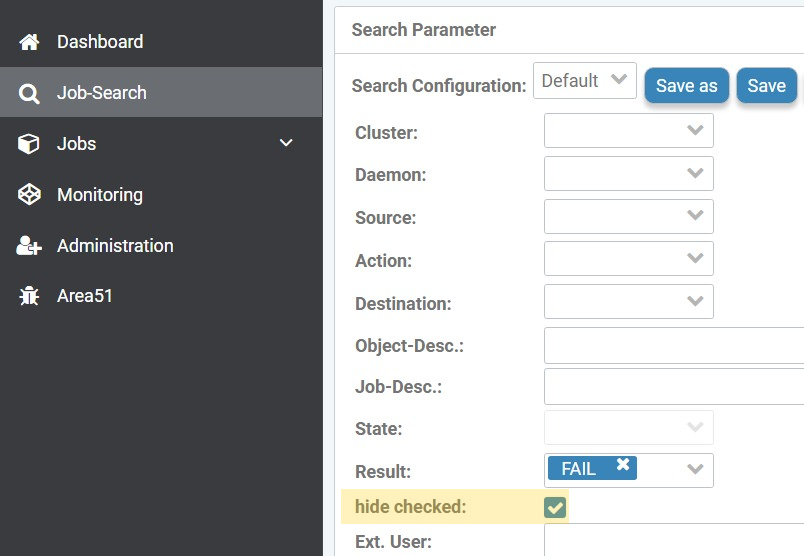
Prerequisites
-
Job is completed (Status: FIN).
-
Job result is not successful (Result ≠ PASS), so that the detail dialog offers the action.
-
User has the required permission to change job metadata.
Operation in the Cockpit
Check individual job (Job detail page)
-
Open the desired job (Status FIN) in the detail view.
-
Check the result and the log information.
-
Click on the action Mark as checked in the detail dialog.
-
Enter a comment and choose whether the original completion comment should be retained.
-
Confirm the marking.
Result:
-
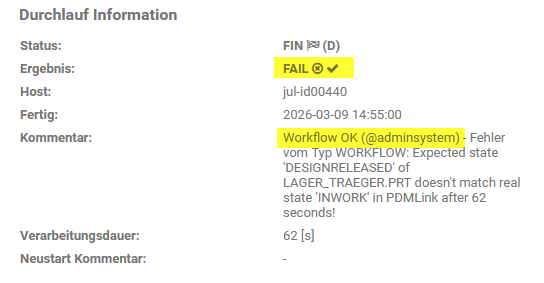
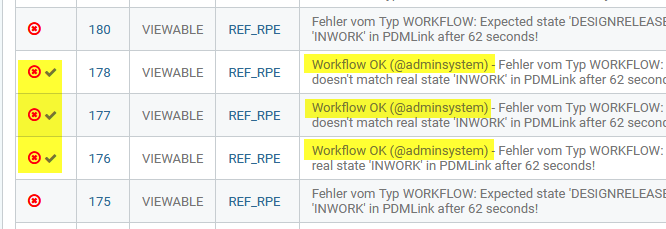
The job is displayed in the interface as "checked" and can be filtered accordingly.
-
The entered comment is displayed as a closing comment, possibly together with the original.
Review multiple jobs at once (job search / list view)
-
Open the job search or the list view (e.g., “Jobs – Completed”).
-
Filter for completed jobs (FIN) and, if applicable, for unsuccessful results.
-
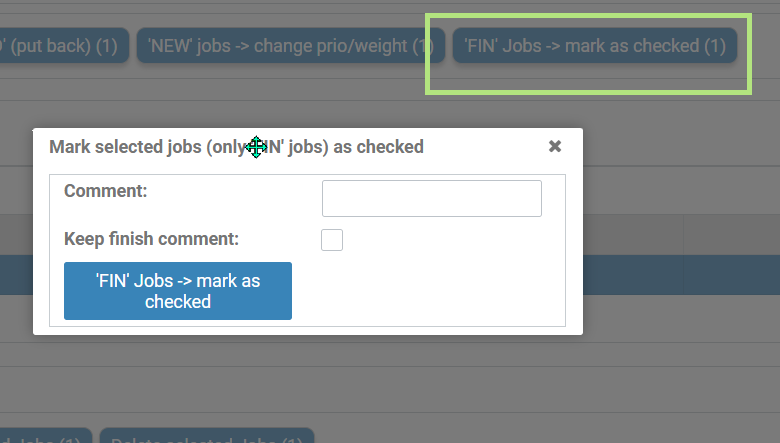
Select multiple entries and choose the bulk operation Mark as reviewed.
-
Enter a comment and choose whether the original completion comment should be retained.
-
Confirm the action. All selected jobs will receive the “reviewed” flag.
Notes
-
The marking is reversible: Remove the flag by performing the corresponding action again
-
Define team-wide what "checked" means (e.g., technically evaluated, no further action required).