
CRON defines so-called CRON-Jobs.
CRON-Jobs are executed once or periodically at defined times.
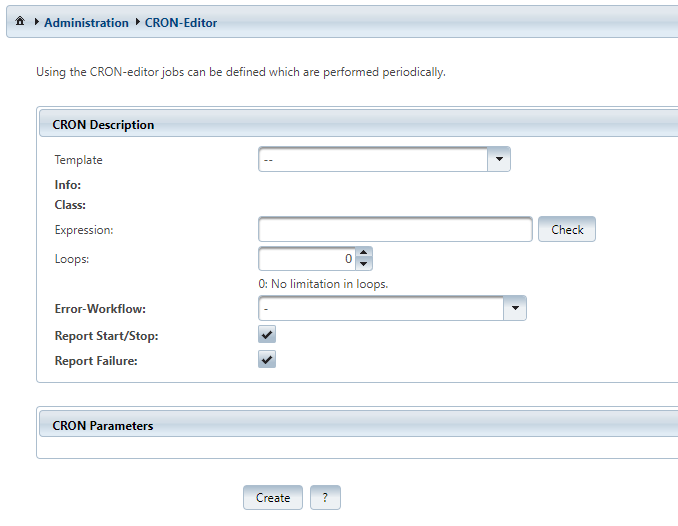
Generally, this function is used e.g. to fill/update subject catalogs or to execute regular connection tests.
The creation of a CRON-Job is very simple. Merely a few statements have to be inserted in the CRON-Template.
|
CRON-Job |
Description |
|---|---|
|
|
Selection box for the job type. The diverse job types are described below. As part of a project, customer specific templates can be provided. |
|
|
The execution times are defined by the so-called expression. See
for further information. |
|
|
The number of executions can be limited in this field. This information is optional. For a test-run, e.g. "1" can be inserted here while the expression "* * * * *" is specified. |
|
|
This parameter defines a workflow which is to be executed in case of an error. The general conditions and assumptions can be found in chapter |
|
|
If this option is set, the starts and stops of a |
|
|
Defines whether errors are recorded in the user report (IFConneX → Report). |
|
|
The number and the interpretation of these arguments depend on the chosen template. |
The process is administered and controlled by a Windchill queue. CRON-Jobs can be deleted in the queue management Site → Utilities→ Queue Management.
The default name of the queue is "CRON".