
With the command Export, certain configurations of the IFConneX interface can be exported. These are settings which are stored in the Windchill preference management.
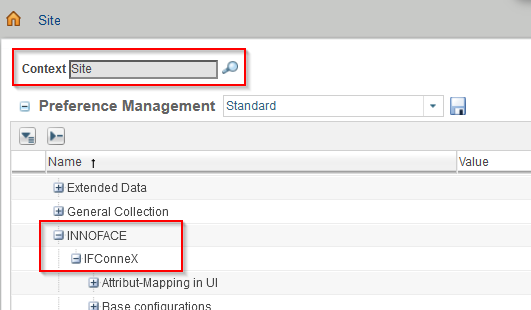
Some of the settings are not displayed and cannot be administered here. They have an own page in the IFConneX → Administration.
The choice of the configuration takes places by selecting one or more categories. By default, all are selected.
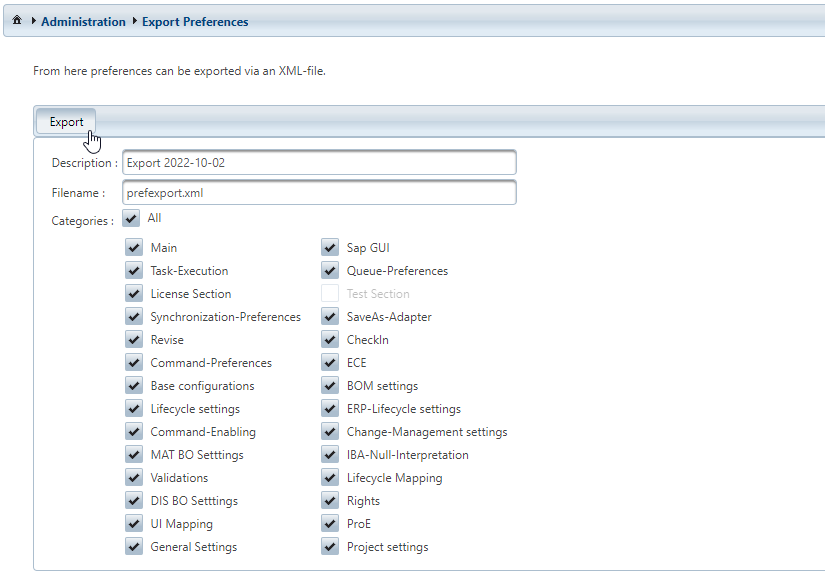
Settings, which are not bold, are not used in current IFConneX versions. However, they might be needed by project specific functionalities.
|
Category |
Which settings are affected |
|---|---|
|
Main |
Preference management in the category INNOFACE → IFConneX → Main settings |
|
Revise |
Preference management in the category INNOFACE → IFConneX → Revise-Adapter These settings are in the Key-Value-Store by now and are therefore not needed in current versions of IFConneX any more. It may be, that project specific modifications need these settings nevertheless. |
|
SaveAs-Adapter |
Preference management in the category INNOFACE → IFConneX → SaveAs-Adapter These settings are in the Key-Value-Store by now and are therefore not needed in current versions of IFConneX any more. It may be, that project specific modifications need these settings nevertheless. |
|
Check In |
Preference management in the category INNOFACE → IFConneX → CheckIn-Adapter These settings are in the Key-Value-Store by now and are therefore not needed in current versions of IFConneX any more. It may be, that project specific modifications need these settings nevertheless. |
|
Synchronization settings |
Preference management in the category INNOFACE → IFConneX → Synchronisation-Flags These settings are in the Key-Value-Store by now and are therefore not needed in current versions of IFConneX any more. It may be, that project specific modifications need these settings nevertheless. |
|
Task-Execution |
Preference management in the category INNOFACE → IFConneX → Task-Execution |
|
Queue-Preferences
|
Preference management in the category INNOFACE → IFConneX → Queue-Preferences |
|
Command-Enabling
|
Preference management in the category INNOFACE → IFConneX → Administration → MAT, DIS, MAT+DIS Preference management in the category INNOFACE → IFConneX → Command-Enabling |
|
Base configurations |
Preference management in the category INNOFACE → IFConneX → Base configurations |
|
BOM settings |
Preference management in the category INNOFACE → IFConneX → BOM settings |
|
ERP-Lifecycle settings |
Preference management in IFConneX → Administration → LC-ERP |
|
Lifecycle Mapping
|
Preference management in IFConneX → Administration → LC_01, LC_02, ... |
|
Command-Preferences |
Preference management in IFConneX → Administration → Command-Preferences |
|
Change-Management settings
|
Preference management in the category INNOFACE → IFConneX → Change-Management settings |
|
BO-Settings |
Settings in IFConneX → Administration → <System Type> Material BO Config and <System Type> Document BO Config For SAP and newer systems, these settings are in the Key-Value-Store by now. |
|
IBA-Null-Interpretation |
Preference management in the category INNOFACE → IFConneX → IBA Null-Value Configuration |
|
MAT BO Einstellungen |
Preference management in the category INNOFACE → IFConneX → Material BO Configuration |
|
DIS BO Einstellungen |
Preference management in the category INNOFACE → IFConneX → Document BO Configuration |
|
Command-Enabling |
Settings in IFConneX → Administration → Command-Enabling |
|
Base configurations |
Settings in IFConneX → Administration → Base configurations |
|
Project settings |
Project specific settings in the Windchill Preference management, if available. They are usually located in the category INNOFACE → <Project specific name> |
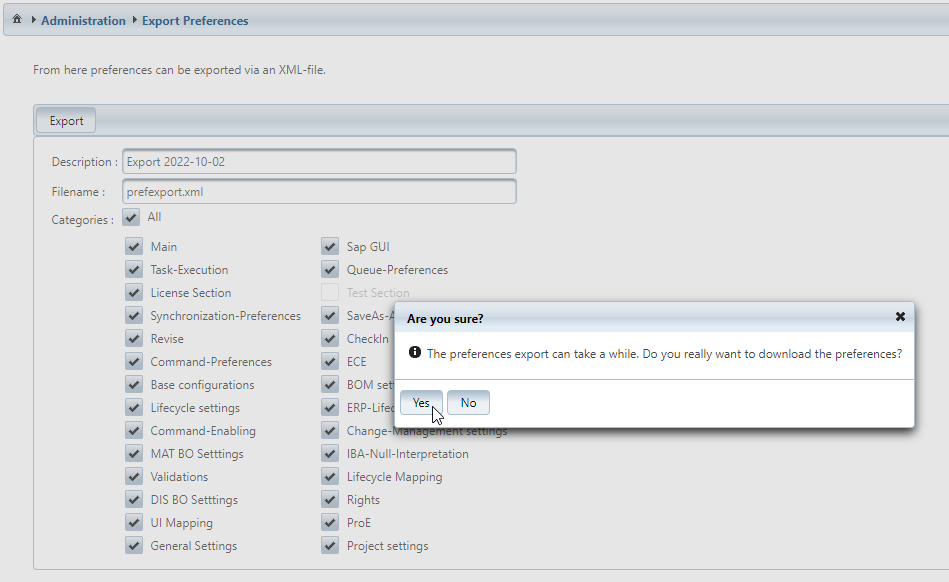
The Export generates and downloads an XML file which contains the configuration data. This step may take some time, therefore, an approve dialog is displayed.
The exported data can be imported again in the same or in a different Windchill system, in which an IFConneX interface is installed.
The Import function in IFConneX can be used for that.