
Daemon instances
The Daemon instances area facilitates the configuration of various daemons. Possible types are RE, RPE, VAULT, MAIL and SIS.

Figure: Contents Daemon and Cluster setup
The icons "Back to previous page", "Update overview" and a dropdown menu “New” are at the top of the screen for selecting the various types of daemon.
Existing daemon instances display in a table.
The columns are divided into:
-
Daemon name (Name),
-
Type (RE, RPE, MAIL, VAULT, SIS, GUARD)
-
Daemon description,
-
the associated cluster
-
Displays the configuration of this daemon (Circle icon)
-
(Copy and) edit current daemon configuration (Edit icon)
-
Rename daemon (Eraser icon)
-
Create a new daemon based on this daemon (Duplicate icon)
-
Delete this daemon (Recycle bin)
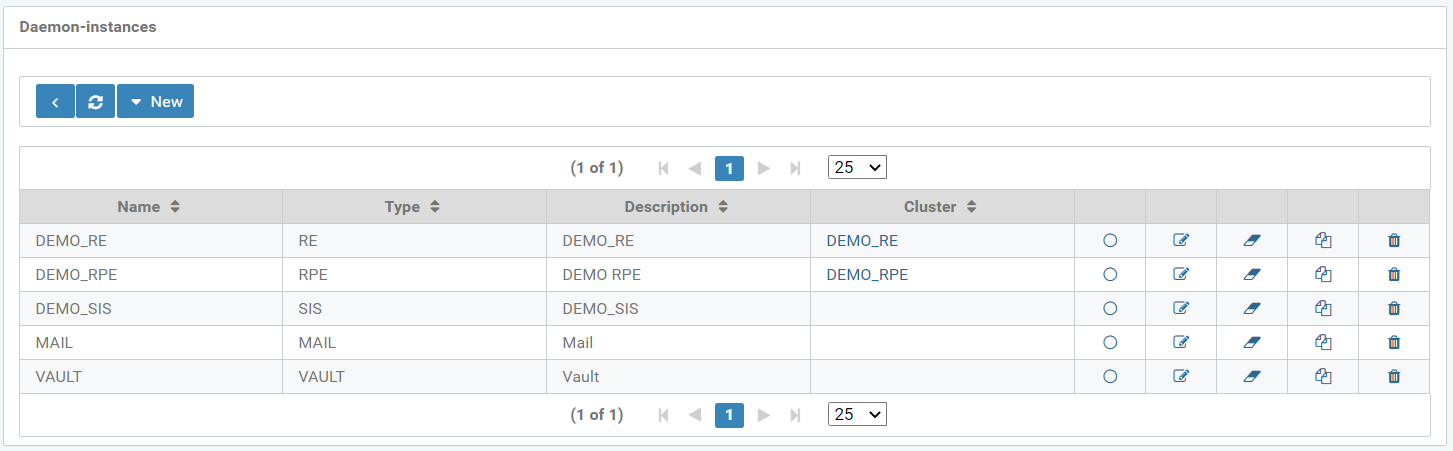
Figure: Overview of daemon instances
Create new daemon
The daemon type (RE, RPE, MAIL, VAULT, or SIS) is pre-selected when creating a new daemon instance.
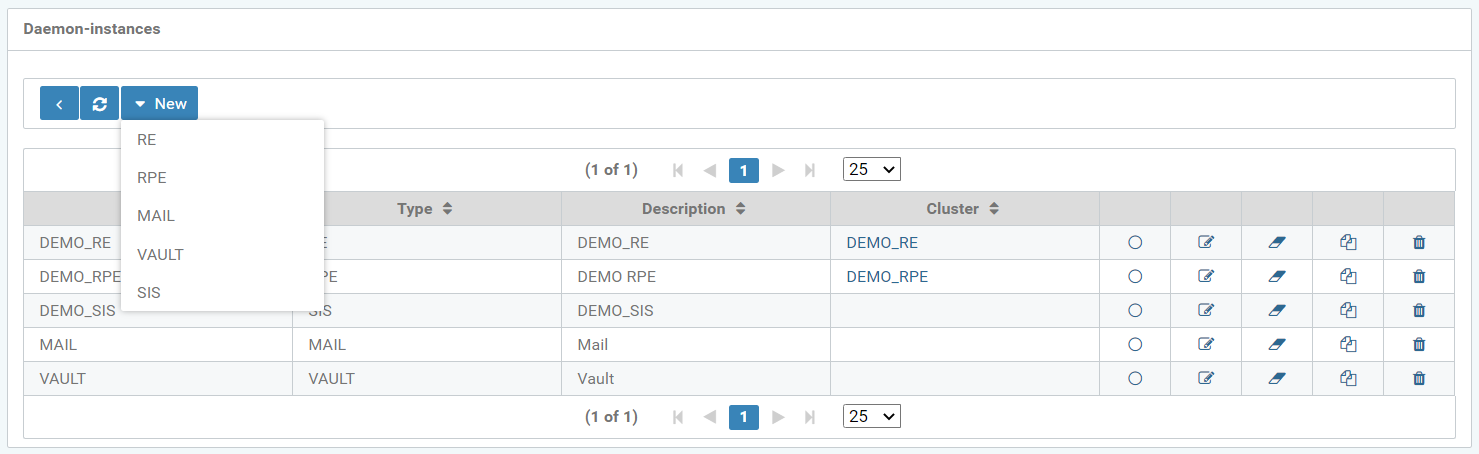
Figure: Create a new daemon instance
For example, the daemon instance RE was selected. Further configuration of the daemon is possible in the "Instance" tab, regarding:
-
Daemon type
-
Daemon name
-
Description
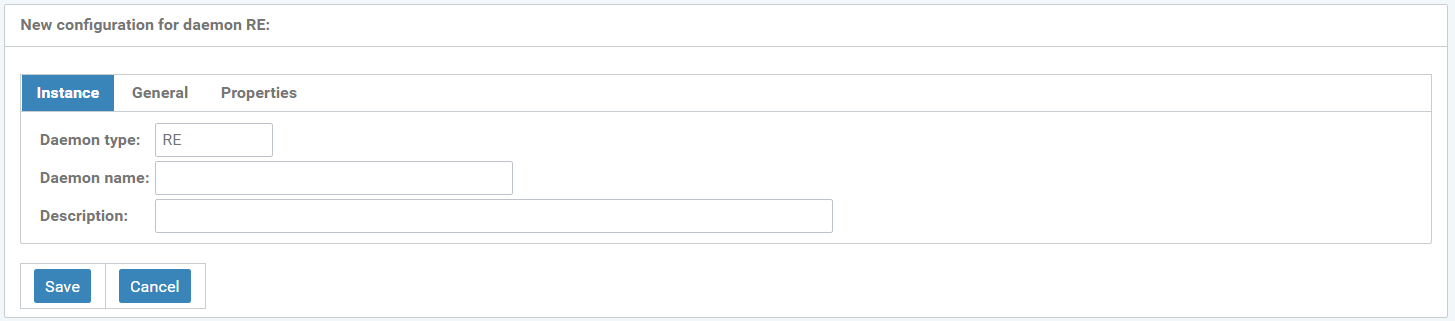
Figure: New configuration of the daemon instance with the RE daemon type
The "General" tab facilitates the following settings:
-
Description
-
Valid from
-
Cluster
-
Weight
-
Disabled
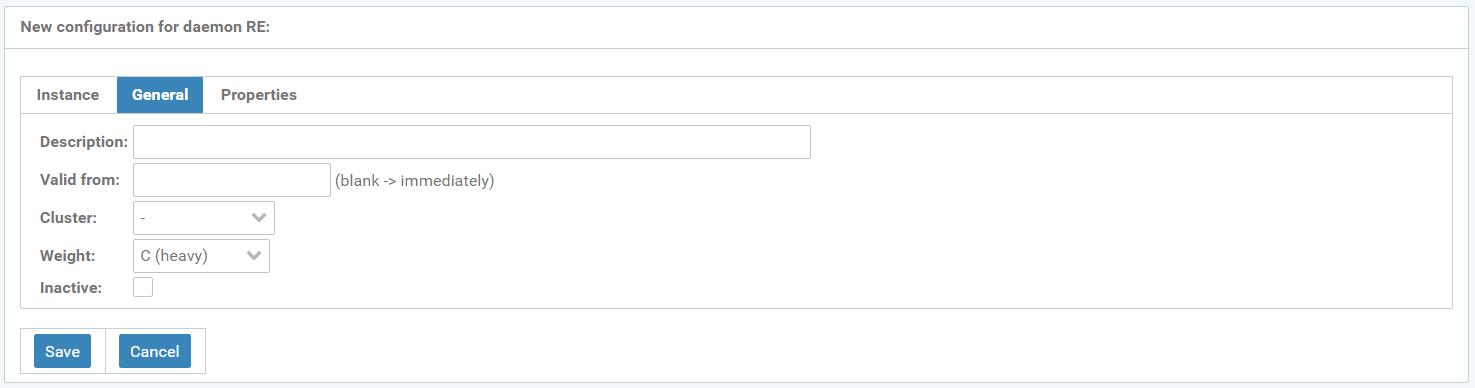
Figure: New configuration of the daemon instance with the RE daemon type
The "Properties" tab lets you edit:
-
Name
-
Value
-
Description
-
Encrypt this property (Lock icon)
-
Delete property (trashcan icon)
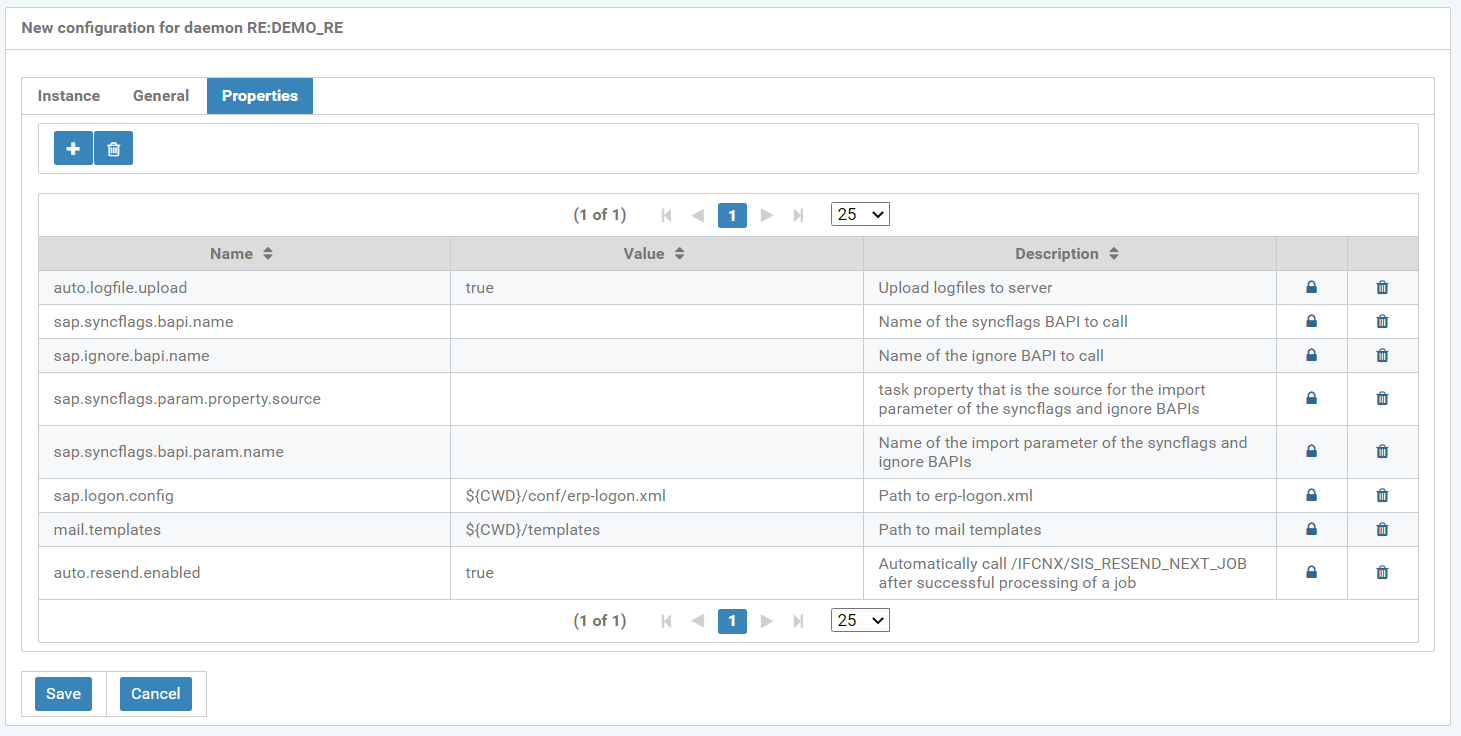
Figure: New configuration of the properties with the RE daemon type
A daemon property can be encrypted by clicking on the encrypt icon (lock icon), which opens the window, see figure below. It can be activated by checking the "encrypt" box. The property can also be viewed and modified in plain text and decrypted again if required. With "Confirm" this input is confirmed.
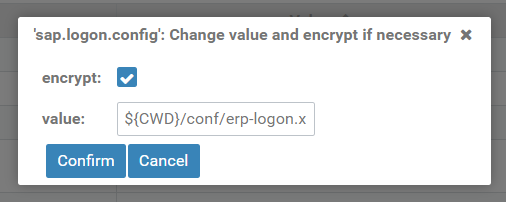
Figure: Pop-up window "Change value and encrypt if necessary"
If a daemon property is encrypted, the encrypt icon is displayed as an open lock icon, see the following figure, last table row, 4th column.
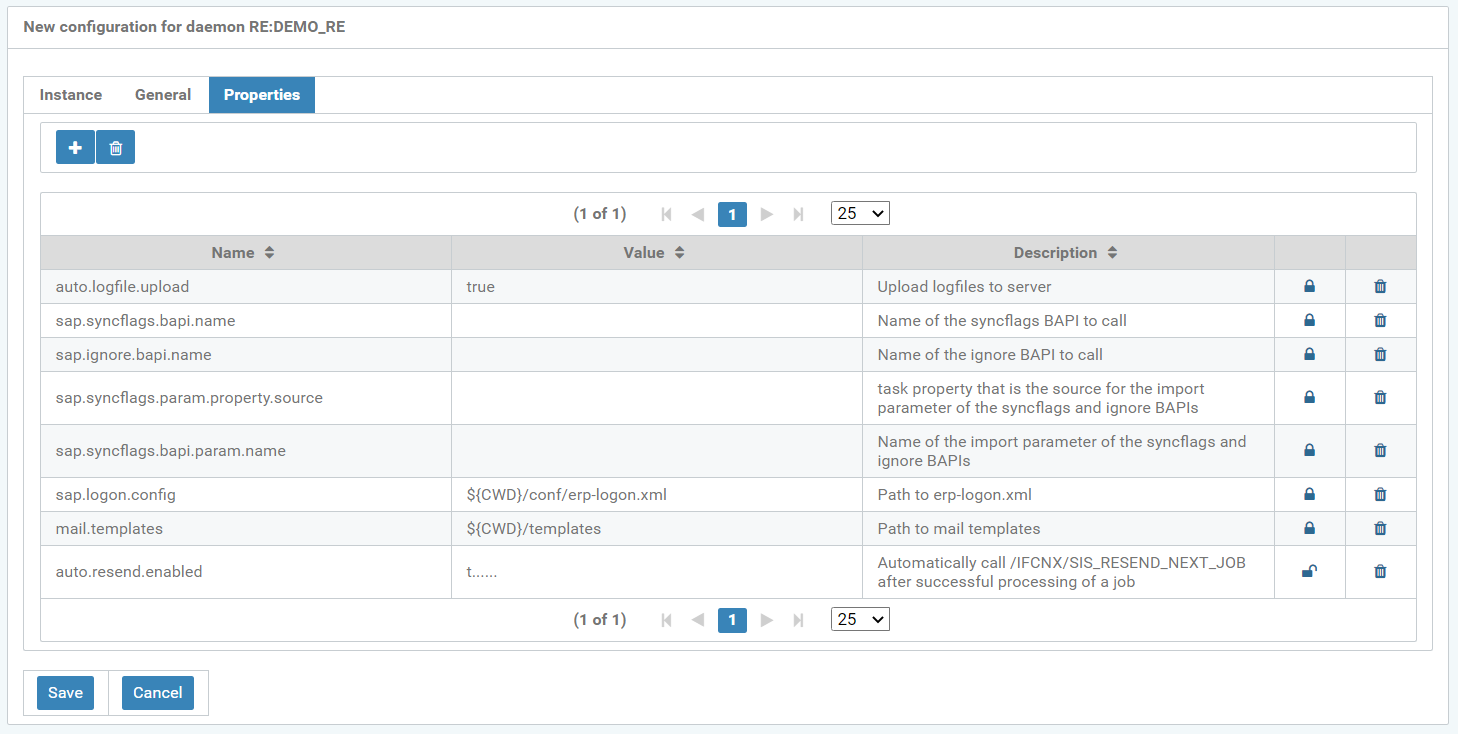
Figure: New configuration for daemon RE