
A newly created mail daemon has a set of properties that are used for the configuration of SMTP. They are described in detail here https://javaee.github.io/javamail/docs/api/com/sun/mail/smtp/package-summary.html.
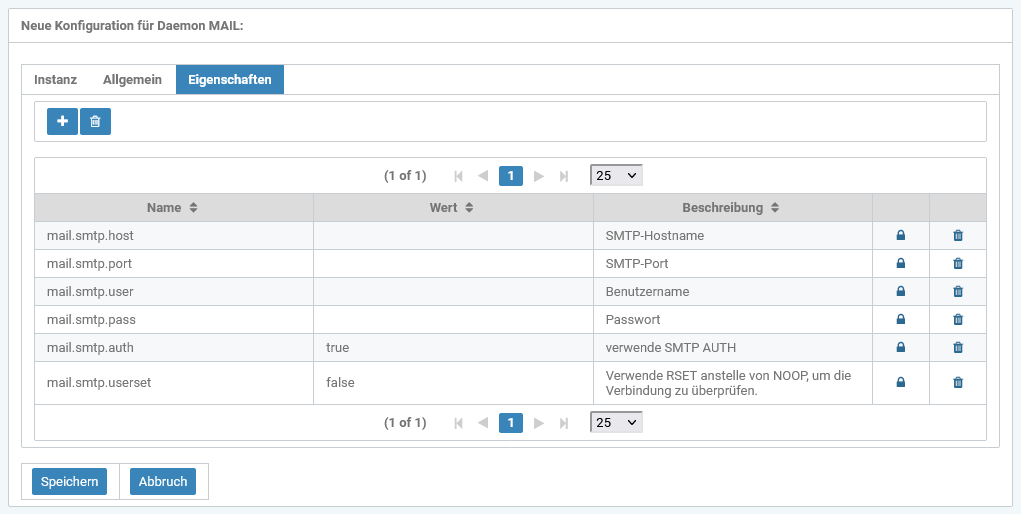
|
Name of the property |
Required |
Default value |
Example value |
Description |
|---|---|---|---|---|
|
mail.smtp.host |
|
|
smtp.office365.com |
SMTP host name |
|
mail.smtp.port |
|
|
587 |
SMTP port |
|
mail.smtp.user |
|
|
robot@innoface.de |
User name |
|
mail.smtp.pass |
|
|
<password> |
Password |
|
mail.smtp.auth |
|
|
false|true |
use SMTP authentication |
|
mail.smtp.starttls.enable |
|
|
false|true |
StartTLS |
|
mail.smtp.userset |
|
|
false|true |
Use RSET instead of NOOP to check the connection. |
The following properties can also be used:
|
Name of the property |
Required |
Default value |
Example value |
Description |
|---|---|---|---|---|
|
mail.from |
|
|
Sender of the emails |
|
|
mail.scheduler |
|
30 |
300 (30 minutes) |
Time in seconds that is waited after mail processing before checking again for mails to be sent.
|
Details on installing a mail daemon can be found here: Install daemons